
Image Formats That Support Layers: PSD, TIFF, XCF
Most web graphics arrive as a single flattened pixel grid. Knowing which formats store independent layers—and which only store finished pixels or page containers—saves time before you start editing or exporting.
Flat raster formats: JPG, PNG, and WebP
JPG, PNG, and WebP store one flattened grid of pixels. JPG compresses photos into opaque rectangles with no transparency and no layers. PNG adds lossless compression and an alpha channel for transparent backgrounds, while WebP supports lossy or lossless compression, alpha transparency, and multi-frame animation—still without editable design layers. When you flatten artwork to any of these formats, overlapping objects, text, and shadows merge into the same pixel plane.
Layered raster formats: PSD/PSB, TIFF, XCF, ORA, and OpenEXR
PSD (and PSB for large documents over 30,000 pixels or 2 GB) is Adobe’s native format for raster layers, folder groups, masks, blend modes, text, and vector shapes. Layered TIFF keeps multi-layer pixel data for print and archiving, though basic photo viewers usually display only its flattened preview. GIMP uses XCF to save layers, channels, and paths, while OpenRaster (ORA) is an open XML-and-PNG archive shared by Krita, GIMP, and MyPaint. OpenEXR (.exr) stores multi-channel high-dynamic-range passes—such as diffuse, specular, depth, and cryptomatte masks—for 3D and VFX compositing rather than graphic layouts.
Document and vector containers: SVG and PDF
SVG and PDF organize objects inside a container rather than saving raster layer stacks. SVG stores XML paths, groups (<g>), shapes, and text nodes that stay sharp at any scale in Figma or Illustrator, making it ideal for logos and icons rather than photos. PDF packages vector art, embedded fonts, and raster images by page; Adobe Illustrator can embed private editing layers inside a PDF, yet most exported or web PDFs flatten transparency and merge artwork.
Why Save As PSD on a JPG still holds one layer
Opening a flat JPG in Photoshop and choosing File -> Save As -> PSD only changes the file wrapper. A JPG does not contain hidden background pixels or separate object masks, so the resulting .psd file still holds a single locked Background layer. To get movable parts from a flattened graphic, each element has to be separated onto its own transparent layer and the covered area behind it has to be rebuilt.
What Unmerge exports: Layered PSD and PNG ZIP
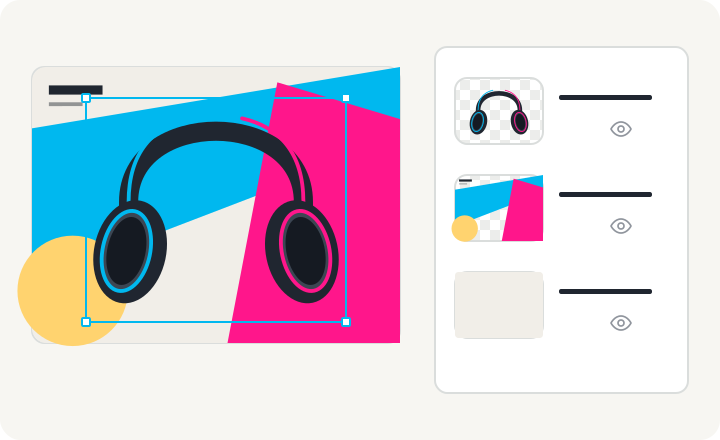
Unmerge splits a flat PNG, JPG, or WebP into named transparent raster layers with covered background areas AI-generated from the visible scene. You can download a Layered PSD—holding independent raster layers with names, stacking order, and visibility toggles, verified in Adobe Photoshop and Photopea—or a PNG ZIP containing canvas-aligned transparent PNGs ordered bottom to top. If you work in GIMP (via File -> Open as Layers…), Krita, Figma, or Canva, use the PNG ZIP instead of relying on PSD compatibility. Text and shapes always export as raster pixels, not editable type or vectors.